
C&I ESS Battery Degradation Monitoring Checklist: SOH, BMS Logs and Warranty Evidence
A C&I ESS battery degradation monitoring checklist should turn scattered operating data into a defensible trend. State of health (SOH), available energy, temperature, BMS alarms and balancing behavior change with duty cycle, environment, controls and time. A single dashboard value is not enough to approve a warranty claim or replace a battery module. Buyers and operators need a repeatable baseline, consistent test conditions and records that connect the battery to the project.
This guide is for C&I ESS owners, distributors, EPC teams and service providers. It does not set a universal SOH threshold or promise a particular cycle life. The supplier’s warranty, approved operating window, chemistry, system design and local service agreement remain the controlling documents. Use this checklist to ask better questions and to preserve evidence before a performance concern becomes a dispute.
What degradation monitoring should answer
Monitoring should answer whether the system can still deliver the contracted service under the approved conditions. That means separating usable energy, power capability, efficiency, availability and safety alarms. A lower SOH estimate may be important, but it does not automatically mean the system cannot meet the project’s load, dispatch or backup requirement.
Define the decision before collecting data. Is the team checking a warranty condition, planning augmentation, investigating a runtime complaint, comparing racks, or confirming that a new operating schedule is safe? Each purpose needs a different evidence depth. The C&I ESS maintenance checklist covers recurring service records; this article adds a degradation-focused measurement and handover layer.
Start with an approved baseline
Record the commissioning condition before interpreting later changes. The baseline should identify the project, system configuration, battery rack or module IDs, firmware versions, inverter and EMS settings, operating limits, ambient conditions and the test method. If the supplier provides an acceptance test or capacity result, preserve the original file rather than copying only the headline percentage.
Lock the identity and configuration
Use the same model, rack, module and serial identifiers in the BMS export, service report, photos and warranty correspondence. Record parallel strings, replacement modules, firmware changes, sensor changes and any disabled alarms. A trend becomes difficult to trust when a rack is renamed, a BMS address changes or a replacement module is silently mixed into the original series.
Record the conditions around every test
Log ambient temperature, enclosure temperature, SOC start and end, charge or discharge power, test duration, rest time, grid status and active HVAC mode. A capacity result taken at a different temperature, SOC window or power level should not be compared as if it were the same test. Preserve the raw export and the calculation sheet so another reviewer can reproduce the conclusion.
Understand SOH without overclaiming
SOH is a calculated indicator, not a universal physical measurement. One supplier may compare estimated usable capacity with an initial reference; another may combine capacity, internal resistance, temperature history and model-based estimates. Ask what the displayed SOH means, which reference was used, how it is filtered, and whether the value is calculated at rack, module or system level.
Do not compare two suppliers’ SOH values without comparing definitions. A change in firmware or reference capacity can move the displayed number without the same change in delivered energy. For a commercial decision, pair SOH with a controlled capacity or energy test, power limits, alarms and actual project performance.
Capture BMS and inverter evidence
Export BMS records at a useful interval and preserve the time zone. Include cell or module voltage spread, temperatures, SOC, SOH, charge and discharge current, contactor state, balancing state, alarm history and protection events when those fields are available. Do not assume that a blank field means a normal value; ask the supplier what the field means and whether the logger was active.
Pair the BMS export with inverter and EMS records. A battery may appear to degrade when the inverter is limiting current, the EMS is reserving SOC, the PCS is unavailable, or a site schedule changed. The C&I ESS commissioning checklist can help establish the original EMS, PCS and handover settings before reviewing later performance.
Review temperature and operating stress
Temperature history is part of degradation evidence. Record average, maximum and minimum values for the battery area, together with HVAC state, ventilation alarms, heating mode and sensor location. A single hot reading does not prove permanent damage, but repeated excursions, uneven rack temperatures or unresolved HVAC alarms deserve investigation.
Also record operating stress: high C-rate events, deep discharge, long periods at high SOC, frequent starts and stops, curtailment, emergency operation and unusual ambient conditions. The project’s warranty may define permitted ranges differently from a generic battery guide. Keep the supplier’s approved limits next to the trend report.
Separate a sensor problem from a battery problem
Before declaring degradation, check sensor calibration, timestamp alignment, communication gaps, BMS address mapping and the physical condition of connectors. Compare redundant sensors or neighboring modules where the design supports it. If a value is implausible, label it as a data-quality issue and investigate the measurement path before changing the operating strategy.
Use a repeatable capacity or energy test
A controlled test should state the starting SOC, end SOC, power or current, temperature range, rest periods, protection limits, meter location and acceptance rule. Follow the supplier’s approved procedure; do not force a battery beyond its documented limits to obtain a larger number. If a site cannot be taken offline, record the limitation and classify the result as an operational estimate rather than a formal warranty test.
Compare like with like. Use the same meter point, SOC window, rest behavior and calculation method where practical. Report delivered DC or AC energy clearly and state whether conversion losses, reserve SOC and auxiliary loads are included. The C&I ESS case-study checklist is useful when the team also needs to connect battery performance with load and savings evidence.
Check power capability separately
Energy capacity and power capability are different questions. A system may retain usable energy while a BMS, PCS, thermal limit or protection setting reduces charge or discharge power. Record continuous and temporary limits shown by the battery, PCS and EMS, then compare them with the project dispatch schedule.
For peak-shaving projects, connect the degradation review to interval loads, dispatch windows and demand-charge assumptions in the C&I ESS peak-shaving data checklist. A missed peak may come from a schedule or meter issue rather than a degraded battery. The evidence should show which component limited the event.
Track balance, alarms and recurring patterns
Trend cell or module voltage spread, temperature spread, balancing activity and repeated alarm codes. Look for persistence, not just a single outlier. A recurring difference on one rack, an alarm that clears and returns, or a rising imbalance after a firmware change may justify a targeted inspection. Avoid rewriting the alarm history or clearing evidence before exporting it.
Classify events as safety, availability, performance, communications or data quality. The classification helps the service team route the issue and prevents a harmless communications gap from being presented as capacity loss. Include the event time, affected asset, operating state, first response, reset action and follow-up result.
C&I ESS battery degradation monitoring checklist
| Evidence group | Record | Comparison rule | Escalation question |
|---|---|---|---|
| Identity | Project, rack, module, serial, firmware and replacement history. | Use the same identifiers in every export and report. | Did a replacement or address change break the trend? |
| SOH | Definition, reference capacity, level and calculation revision. | Compare only values with the same definition. | Is the change model-based or confirmed by a test? |
| Operating data | SOC, current, power, temperature, HVAC and dispatch state. | Record conditions beside every test result. | Was the battery inside approved limits? |
| Capacity | Start/end SOC, energy, meter point, rest time and method. | Repeat the method before comparing results. | Is this a formal warranty test or an estimate? |
| Alarms | Codes, timestamps, affected rack, response and recurrence. | Preserve raw logs and classify the event. | Did the event reduce safety, availability or power? |
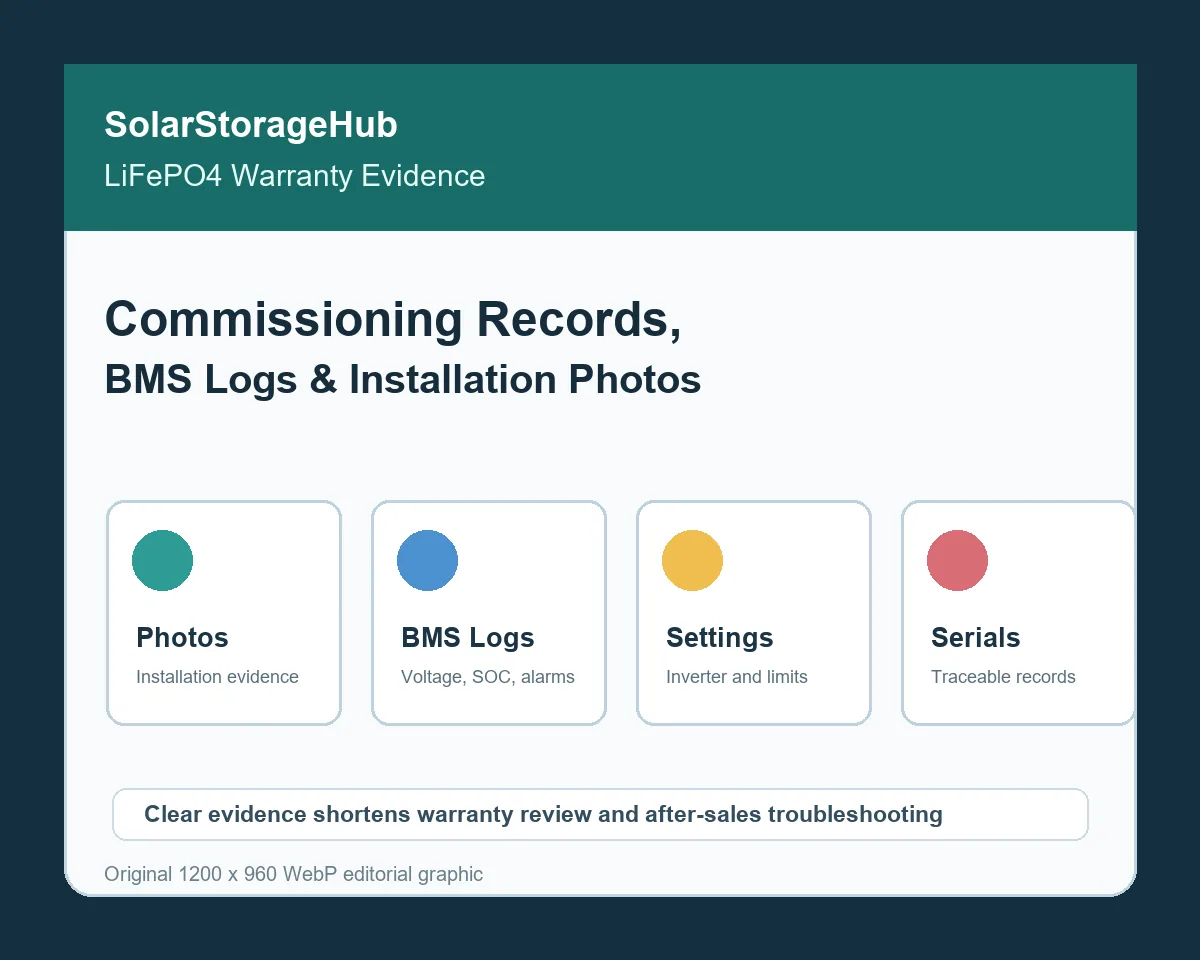
| Warranty | Photos, BMS exports, settings, service reports and delivery records. | Link evidence to the same serial and claim. | Can another reviewer reproduce the conclusion? |
Connect degradation evidence with warranty terms
Read the warranty before selecting the test. Check whether coverage refers to retained capacity, throughput, cycles, calendar time, availability, operating conditions or a combination. Confirm exclusions for incorrect installation, unsupported settings, extreme temperature, unauthorized repairs and missing records. Do not convert a marketing cycle statement into a warranty conclusion without the actual warranty language.
Keep the original purchase, delivery and commissioning evidence with the trend. The C&I ESS manufacturing quality plan helps connect factory traceability and hold points with the later project record. If the issue concerns a specific supplier or configuration, use the supplier qualification checklist before accepting a replacement or changing the operating plan.
Build a warranty-ready evidence folder
Use one folder per project and one subfolder per rack or claim. Keep raw BMS exports, inverter and EMS logs, test calculations, photos, alarm history, service tickets, ambient records, configuration backups and correspondence. Hashing or read-only storage can help demonstrate that the original files were not changed, but the most important control is a clear filename, timestamp, asset ID and revision.
Compare rack-level trends before escalating
Compare racks only when their configuration, duty cycle and measurement method are comparable. A rack with a different replacement history or thermal environment should be flagged separately. This keeps a localized issue from being averaged away in a system-level SOH figure and gives the service team a narrower inspection target.
Decide between monitoring, service and augmentation
Monitoring is appropriate when the trend is stable, the system meets its duty and the data quality is sound. Service is appropriate when alarms, sensors, cooling, communications or settings create an unresolved risk. Augmentation or replacement should follow a documented comparison of usable energy, power, safety, warranty, space, controls and project economics.
Do not make a replacement decision from SOH alone. Confirm whether the project can still meet its required dispatch, backup or self-consumption service. For a broader procurement review, connect this analysis with the C&I ESS product path, the import documentation checklist and the SolarStorageHub contact page.
FAQ
Is SOH alone enough to prove battery degradation?
No. SOH is a calculated indicator whose definition can vary. Pair it with controlled test conditions, delivered energy, power limits, alarms and raw records.
How often should a C&I ESS battery be capacity-tested?
Follow the supplier’s warranty and service plan. Test after commissioning and after a material concern or configuration change, using a repeatable approved method.
What should be sent with a warranty claim?
Send the claim reference, asset and serial IDs, warranty terms, BMS and inverter exports, test calculation, alarm history, operating conditions, photos and service actions. For general energy-storage context, review the U.S. Department of Energy energy-storage overview and Sandia Energy Storage Systems reference pages.
Related SolarStorageHub Resources
If you are turning this article into a buying decision, compare the relevant product families and send your inverter model, target capacity, installation country, and quantity plan for confirmation.