
Home Battery Storage Installation Handover Checklist for Installers and Distributors
Installer note: A home battery storage project is not finished when the battery powers on. The handover step is where installers confirm inverter settings, battery communication, safety labels, user training, warranty records, and future support evidence. A clean handover reduces callbacks, user confusion, warranty disputes, and poor reviews after the system is installed.
This checklist is written for installers, distributors, and EPC teams working with Home Energy Storage, Solar Inverter, Solar Panel, and smaller C&I ESS projects. Use it with the Battery Storage Buyer Resources hub, and send project details through Contact when a battery-to-inverter match needs supplier review.
Why handover quality matters
Many home storage problems start after installation because the homeowner does not know which loads are backed up, how long the battery should run, what a normal alarm looks like, or when to call for support. The installer may have configured the system correctly, but if the handover record is weak, every later question becomes harder to answer.
A handover checklist creates a shared record. It confirms the installed product, the inverter settings, the communication method, the user training points, and the evidence needed for warranty review. For distributors, it also gives a practical way to compare installer quality across multiple projects.
Home battery handover checklist
| Handover area | What to record | Why it matters later |
|---|---|---|
| Product identity | Battery model, serial number, inverter model, firmware if available, installation date and installer name. | Creates a clear record for service, warranty and future expansion. |
| Electrical settings | Battery type, voltage limits, charge current, discharge current, low SOC reserve and operating mode. | Shows whether the inverter was configured within battery limits. |
| Communication | CAN or RS485 mode, cable connection, address setting, SOC display and alarm status. | Helps diagnose wrong SOC, lost communication or BMS alarms. |
| Backup loads | Which circuits are backed up, approximate load size and what should not be used during outage. | Prevents customers from expecting the battery to run every load. |
| Safety | Breaker labels, clearance, ventilation, wall or floor mounting, cable protection and emergency shutdown notes. | Supports safe operation and easier service visits. |
| User training | Display basics, app basics if used, normal SOC range, alarm response and support contact. | Reduces avoidable service calls. |
| Warranty evidence | Photos, settings screenshots, commissioning notes, serial numbers and handover sign-off. | Makes after-sales review faster and more evidence-based. |
Confirm battery and inverter communication
The handover should include proof that the inverter can read battery information correctly. Installers should check SOC, charge current, discharge current, BMS status, communication mode and any alarms. If the system uses CAN or RS485, record the selected battery profile and cable arrangement.
For deeper compatibility checks, use Solar Inverter and Battery Matching Mistakes and LiFePO4 Battery Inverter Compatibility. These guides help buyers and installers avoid the common problem of assuming that matching voltage alone is enough.
Set user expectations for runtime
Homeowners often ask one simple question: how long will the battery last? The answer depends on usable kWh, load size, inverter efficiency, reserve margin, temperature and whether solar recharge is available during the outage. A handover should explain which loads are backed up and which loads should not be used during backup operation.
For a practical runtime method, review How to Estimate Battery Storage Runtime. Installers should avoid promising backup hours based only on the battery nameplate capacity. A small air conditioner, pump, oven or heater can change runtime quickly.
Photograph the installation before leaving
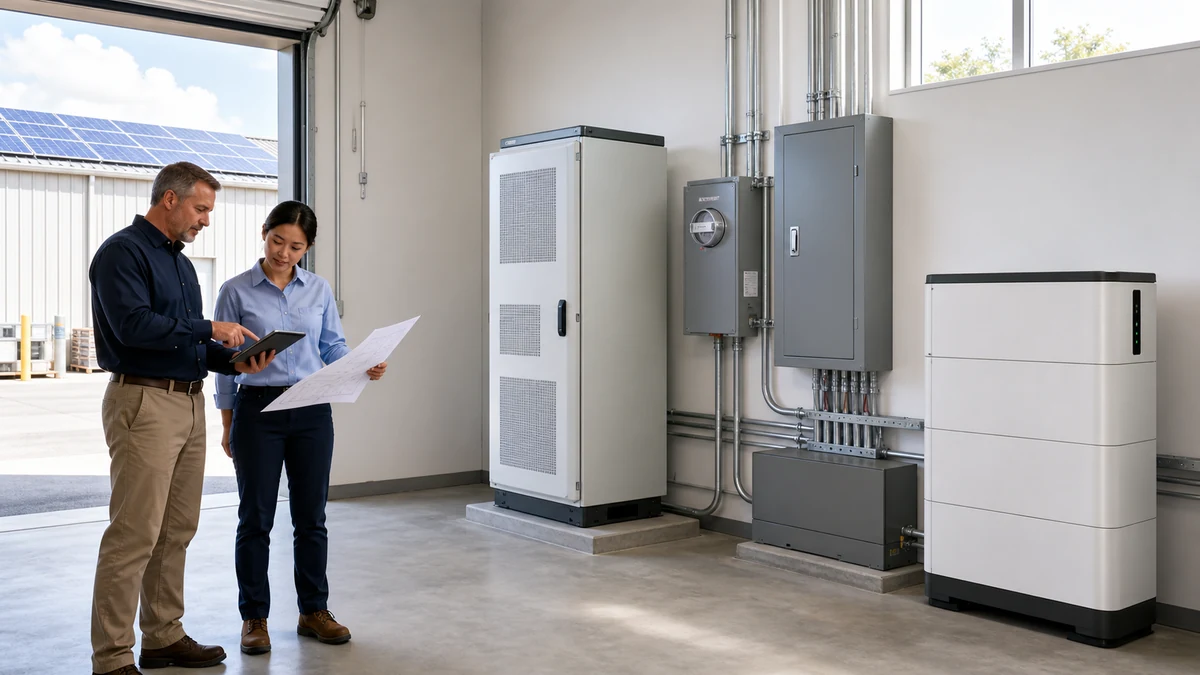
Photos are simple but valuable. Take clear photos of the battery label, inverter label, wiring, breakers, mounting, clearance, communication cable, display screen, app screen if used, and final installed position. These photos help the distributor or supplier support the installer if a service question appears later.
The photo set should also show that the installation matches the manual. If the battery is wall-mounted, show bracket and clearance. If it is rack-mounted or floor-mounted, show cable routing and ventilation. These records are useful for warranty evidence, installer training and future site expansion.
Keep warranty records from day one
Warranty questions are easier to solve when the first installation record is complete. Keep serial numbers, installation photos, inverter settings, BMS logs, alarm screenshots, user training notes and maintenance instructions. If a battery later shows an alarm, support teams can compare the current condition with the handover record.
The guide LiFePO4 Battery Warranty Claim Evidence explains which records are most useful. External references such as the U.S. Department of Energy solar-plus-storage overview and UL Solutions energy storage system testing and certification are useful background when buyers review safety and system claims.
Explain normal operation to the user
Handover should include simple user training. Explain what the battery display means, what a normal SOC range looks like, how the inverter behaves during an outage, when the battery charges from solar, when it charges from grid if allowed, and what the user should do if an alarm appears. The user should know where the manual is stored and who to contact for support.
Do not overload the homeowner with technical detail. The most useful message is practical: what the system does, what it does not do, what loads are backed up, what to avoid during outage, and what information to provide if support is needed.
Connect handover with future expansion
Many home battery projects expand after the first installation. The homeowner may add more batteries, more solar panels, or a larger inverter later. A good handover record makes expansion safer because the installer can see the original battery model, inverter settings, communication method, breaker rating, cable path and available space.
If the homeowner may expand later, note the maximum parallel quantity, inverter battery input limit, available wall or floor space, and whether the existing cable and protection design can support more capacity. The LiFePO4 Battery Sample Order Checklist is useful for distributors who want to test the same product before wider local deployment.
What to send SolarStorageHub for review
For matching or service questions, prepare the battery model, inverter model, wiring photos, settings screenshots, alarm screenshots, serial numbers, installation country, load list and expected backup goal. Send those details through Contact. The more complete the handover evidence, the easier it is to review battery, inverter and warranty assumptions.
Related buyer guide: For installation handover, this parallel connection checklist gives installers the records to save when multiple batteries are connected. Read LiFePO4 Battery Parallel Connection Checklist: BMS Address, Current Sharing and Inverter Limits.
Related approval and document checks
These related guides help buyers connect product testing, documentation, certification and after-sales evidence before approving a larger order.
Related buyer guide: Add the controlled outage test and transfer record from this guide to the final home battery handover file. Read Home Battery Backup Transfer Time Checklist: EPS Output, Critical Loads and Restart Testing.
Related buyer guide: Add low-temperature limits, heater behavior and a winter recharge test to the home battery handover record. Read LiFePO4 Cold-Weather Charging Checklist: BMS Cut-Off, Battery Heating and Winter Testing.
Related buyer guide: Record the final coupling architecture, retained equipment, settings and outage tests in the home battery handover file. Read AC-Coupled vs DC-Coupled Home Battery Retrofit: Solar, Backup and Inverter Checklist.
Related buyer guide: Installation handover records should document settings, photos, labels and operating instructions. Read Home Energy Storage Batteries Checklist: Capacity, Inverter and Backup.
Complete the upstream record: Use the solar battery installer resources before handover to confirm the site survey, system drawing, exact equipment pairing, parameter records and commissioning evidence are traceable.
FAQ
What should be included in a home battery handover file?
Include product labels, serial numbers, inverter settings, communication mode, wiring photos, backup load list, user training notes, commissioning screenshots and support contacts.
Why should installers photograph inverter settings?
Settings screenshots help confirm voltage limits, current limits, SOC reserve, battery mode and communication profile if a service issue appears later.
Should homeowners be told which loads are backed up?
Yes. Users should understand which circuits are supported, which high-power loads should be avoided, and why runtime changes with load behavior.
Can handover records help with warranty claims?
Yes. Serial numbers, photos, BMS logs, inverter settings and commissioning notes make warranty review faster and reduce guesswork.
How does inverter communication affect handover?
The installer should confirm SOC, BMS status, current limits and alarm state so the user and supplier know the battery and inverter are communicating correctly.
What should be explained during user training?
Explain display basics, backup behavior, charging source, alarm response, load limits, manual location and who to contact for support.
Where should installers send matching questions?
Send battery model, inverter model, settings screenshots, wiring photos, load list and project goal through the Contact page.
Related SolarStorageHub Resources
If you are turning this article into a buying decision, compare the relevant product families and send your inverter model, target capacity, installation country, and quantity plan for confirmation.